Your first week
What should you expect in your first week?
Mostly quiet. The tracker runs, the numbers fill in, and almost nothing asks anything of you. Here is the order it usually happens in.
Accept the invitation and set a password. See Signing in.
Install the desktop app and sign in there as well.
Read What is recorded about you. Ten minutes, once.
Open your dashboard. Tracked today should show real minutes.
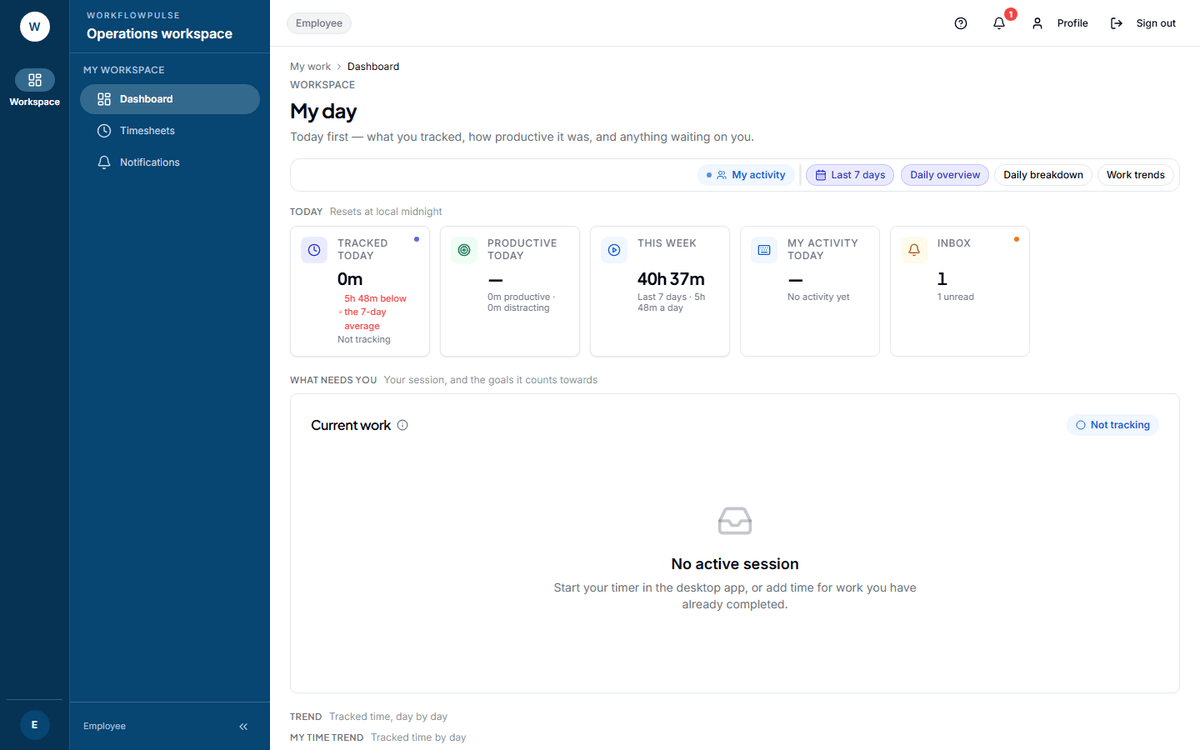 Day 2 is a one-question check. If Tracked today is still at zero while you have been working,
stop and fix it now — do not wait a week.
If it shows zero while you have been working, the desktop app is not reaching the server. See Tracking your time.
Days 3 and 4
Section titled “Days 3 and 4”Numbers start to be worth looking at. This week fills in. If your company set a daily goal, a Today’s goals card appears with your progress against it.
Three things that are normal now and alarm people anyway:
- Idle time that looks high. A meeting, a phone call and reading all look identical to a keyboard. Your company sets how long a gap has to be before it counts as idle — the product default is 3 minutes, and several industry setups raise it to 10.
- An app marked wrongly. The rules are set per job, and new tools are not in them yet. Tell your admin. It is a 30-second fix on their side, and it repairs the last 31 days as well as tomorrow.
- A blank screen. Several screens stay empty until there is something in them. That is the screen working, not failing.
Submit your first timesheet. Open Timesheets in the sidebar and press Submit period.
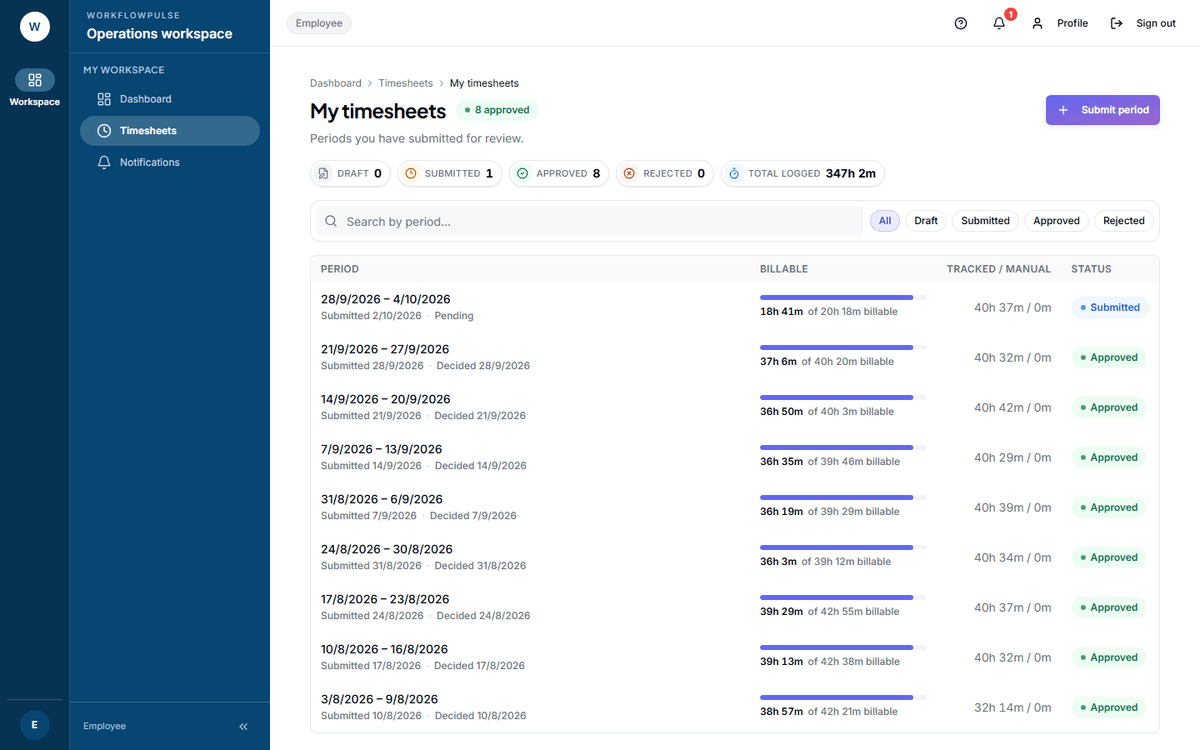 You do not type any hours here. The total is already there, built from what was tracked. The only
thing you add is the note.
Use the notes box to explain anything odd about the week — a day the tracker was off, a long meeting, a machine swap. The person approving reads it. See Your timesheet.
What not to read into week one
Section titled “What not to read into week one”The first week contains more setup mistakes than it does behaviour. A missing rule, a late install, a day the tracker was signed out — each of those moves a number more than how you actually worked.
Your short list
Section titled “Your short list”- Desktop app installed and signed in
- Dashboard shows tracked time
- You have read what is recorded
- First timesheet submitted
- Anything that looked wrong, mentioned to somebody