BPO and contact centre setup
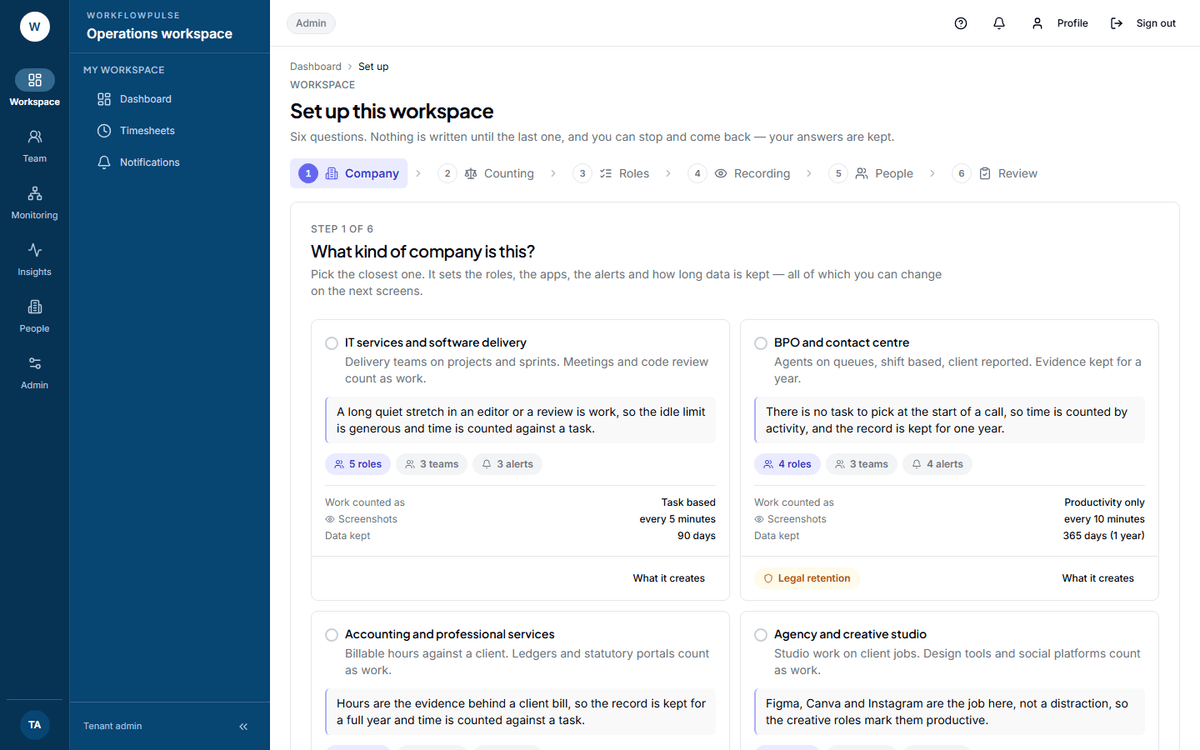
Does this pack fit a contact centre, and why does it keep data for a year?
It fits agents who work a shift on a queue: voice, chat, email or back office. Work arrives; nobody picks a task before a call starts. The client wants evidence that the shift was worked.
What it switches on
Section titled “What it switches on”| Setting | Value | Default, for comparison | Why |
|---|---|---|---|
| Work mode | Productivity only | Task based | There is no task to pick at the start of a call |
| Tracking mode | Always on | A task is required | The shift is the unit of work, not the task |
| Screenshot interval | Every 10 minutes | Every 5 minutes | Enough for a quality review, cheap to keep for a year |
| Idle threshold | 5 minutes | 3 minutes | A long gap on a queue is real, and a team leader should see it |
| Retention | 365 days | 90 days | Required by law. See below |
What it creates
Section titled “What it creates”- 4 productivity roles — Voice agent, Back-office agent, Team leader and Quality analyst
- 384 app rules — every role gets a verdict on all 96 applications and websites in the catalogue
- 3 teams — Process A, Process B, Quality. Rename them to your real processes
- 1 daily goal — 390 productive minutes
- 4 alert rules — not started by 09:15, idle over 45 minutes, distracting use over 60 minutes, and productivity under 60 percent. All four go to managers
The roles know this industry’s tools. A voice agent gets Avaya, Genesys, Five9, NICE CXone and Talkdesk marked productive. A back-office agent gets Excel, SAP, SharePoint and Google Sheets instead.
The one thing it gets right
Section titled “The one thing it gets right”One year of retention, because an Indian Other Service Provider must keep it.
 The review step is where the retention warning appears. It names the rule and the number you chose,
so the decision to go below a year is a recorded one rather than an accident.
The second thing it gets right
Section titled “The second thing it gets right”Productivity only means nobody has to pick a task.
On task based work mode an agent who forgets to start a task produces no usable hours. On a queue that happens every shift, because there is nothing to pick from in the first place. This pack counts the tracked time itself, and hides the project and task screens that would only be in the way.
What to change after you apply it
Section titled “What to change after you apply it”- Rename the teams to your real processes. The pack guesses Process A and Process B; you know.
- Set the daily goal to your real target minutes. 390 is a starting number, not yours.
- Check the 09:15 alert against your actual shift start. It is set in minutes past midnight, so a shift that starts at 14:00 needs it moved.
- Tell your agents what is recorded before the first shift. Send them What is recorded about you.
Next: Task based or productivity only · Screenshots, privacy and how long data is kept