Agency and creative studio setup
Does this pack fit a design studio, a creative agency or a marketing team?
It fits a shop that sells creative hours to clients. People move between a handful of accounts in a day. The tools look like leisure to a rule set written for a bank.
What it switches on
Section titled “What it switches on”| Setting | Value | Default, for comparison | Why |
|---|---|---|---|
| Work mode | Task based | Task based | Hours belong to a client account |
| Tracking | A task must be picked first | — | The account the hour belongs to has to be named |
| Screenshot interval | Every 10 minutes | Every 5 minutes | Creative work is long and quiet. Five minutes adds noise, not evidence |
| Idle threshold | 10 minutes | 3 minutes | Looking at a layout is working |
| Retention | 90 days | 90 days | Nothing here needs longer |
What it creates
Section titled “What it creates”- 4 productivity roles — Designer, Copywriter, Account manager and Developer
- 384 app rules — every role gets a verdict on all 96 applications and websites in the catalogue
- 3 teams — Creative, Accounts, Production
- 1 daily goal — 330 productive minutes, the lowest of the five packs
- 2 alert rules — idle over 90 minutes and distracting use over 120 minutes. The fewest alerts of any pack, and the most forgiving distraction limit of the five
The loose numbers are the point. A studio that alerts a manager every time a designer stares at a layout for an hour has bought a machine for generating false alarms.
The one thing it gets right
Section titled “The one thing it gets right”The same app gets a different verdict for each role.
Five apps, four roles, and almost no two cells agree. These are the real values the pack writes.
| App or site | Designer | Copywriter | Account manager | Developer |
|---|---|---|---|---|
| Figma | Productive | Productive | Neutral | Productive |
| Canva | Productive | Productive | Productive | Neutral |
| Productive | Productive | Distracting | Distracting | |
| YouTube | Productive | Neutral | Distracting | Distracting |
| Neutral | Productive | Productive | Distracting |
Read the Instagram row. On the plain defaults Instagram is distracting for everybody, and for most companies it should be. In a studio, a social media manager who cannot open Instagram cannot do the job, and a designer who is in Canva for three hours has done a day’s work — while the developer sitting beside them is on Instagram for a different reason entirely.
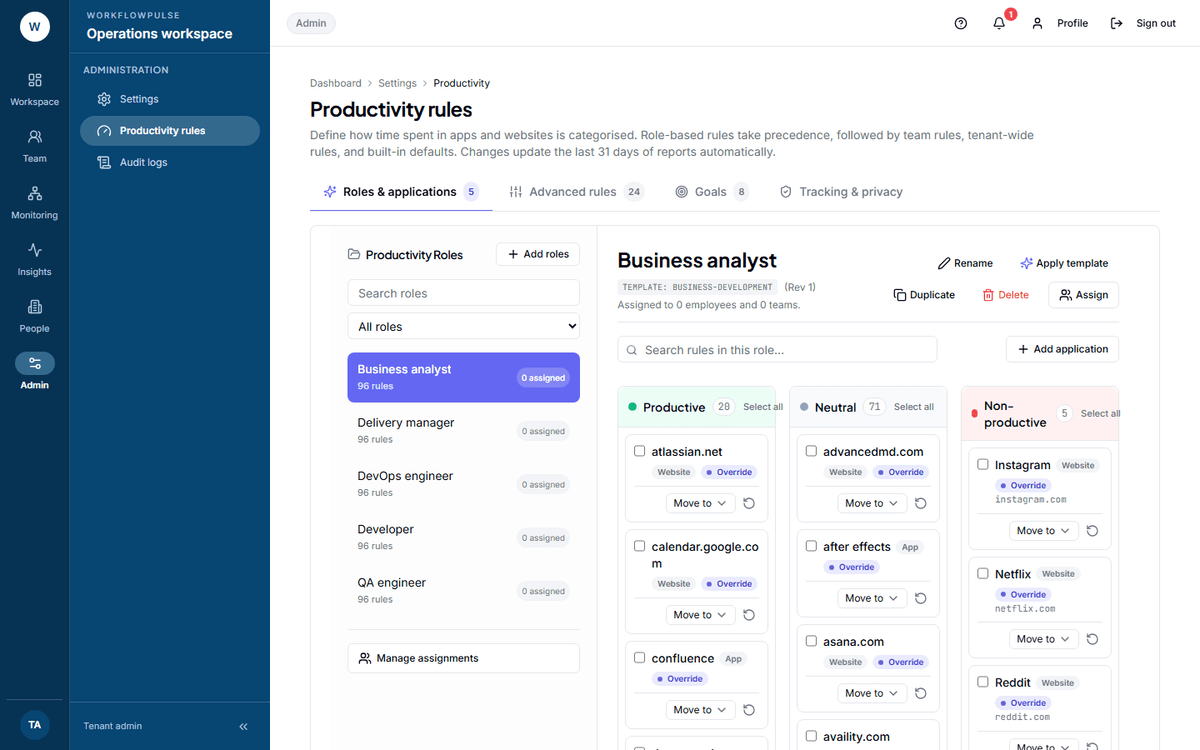 One role at a time, 96 apps each. This is where a wrong verdict gets fixed — and when you save, the
product recalculates the last 31 days, so the fix repairs the recent past too.
What to change after you apply it
Section titled “What to change after you apply it”- Add the client tools you actually use. The pack cannot guess your stack — it ships After Effects, Premiere, InDesign, Miro, Webflow, Later and Buffer, and stops there.
- If a role is split between accounts and design, pick the rule set that matches most of the week, then adjust. A person gets one role, not a blend.
- Watch the unclassified share for two weeks. See App and website use.
Next: How something gets called productive · Productivity roles