How the team is doing
How is the team actually doing this week?
Five screens, five different questions. Open the one that matches the question you have, not all five.
The weekly check, in order
Section titled “The weekly check, in order”-
Coverage first. On Productivity and activity, set the period to the last 7 days and read the people count in the heading. Anybody with no tracked time is a setup problem, not a performance problem - and every other number on the page is wrong until it is fixed.
-
Then the unclassified share. On App and website use, read the Uncategorized figure. A large one means the rules do not know your tools yet, and the productive percentage below it is not worth arguing about. Send the top unclassified apps to your admin.
-
Then wellness. The Overburdened tile is the one with a person’s name behind it. Switch to the Detailed roster to see who.
-
Last, performance. Scorecard and time and motion. Leave them until the three above are clean.
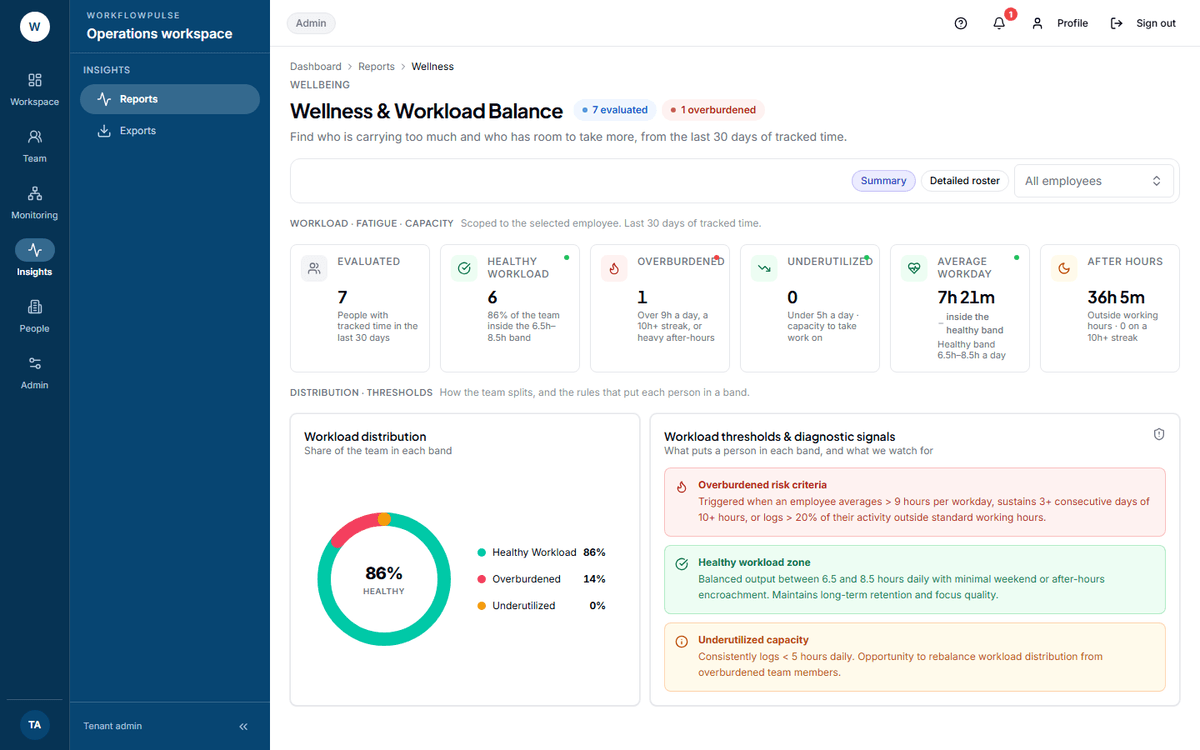 This is the screen that catches something before it becomes a resignation. The bands are fixed: healthy is a 6.5 to 8.5 hour day, overburdened is over 9 hours, a run of three 10-hour days, or more than a fifth of the work after hours.
The one-click check your dashboard already does
Section titled “The one-click check your dashboard already does”Scroll past the tiles on your dashboard to What needs attention first. It reads the same reports and writes up to five findings in plain words. Each one carries the next step and a link to the rows behind it.
| It fires when | Tone |
|---|---|
| One person in five is overburdened (20% or more) | Act now |
| Goal achievement falls under 80% | This week |
| Active share falls under 60% | This week |
| One person in four is underused (25% or more) | Worth a look |
| One person in four has no tracked time at all (25% or more) | Worth a look |
When nothing fires it says so, and tells you what it checked: “Every signal checked is inside its threshold.” The badge reads All clear.
That is a faster weekly check than opening five reports.
Three numbers to distrust
Section titled “Three numbers to distrust”A productive percentage with a large unclassified share beside it. The rules have not caught up with the tools.
Any figure from a person’s first two weeks. A late install and a missing rule move a number further than behaviour does.
A scorecard rank on a small team. Somebody is always last out of four. The rank says nothing the three pillars underneath it do not say better.
What the reports cannot do
Section titled “What the reports cannot do”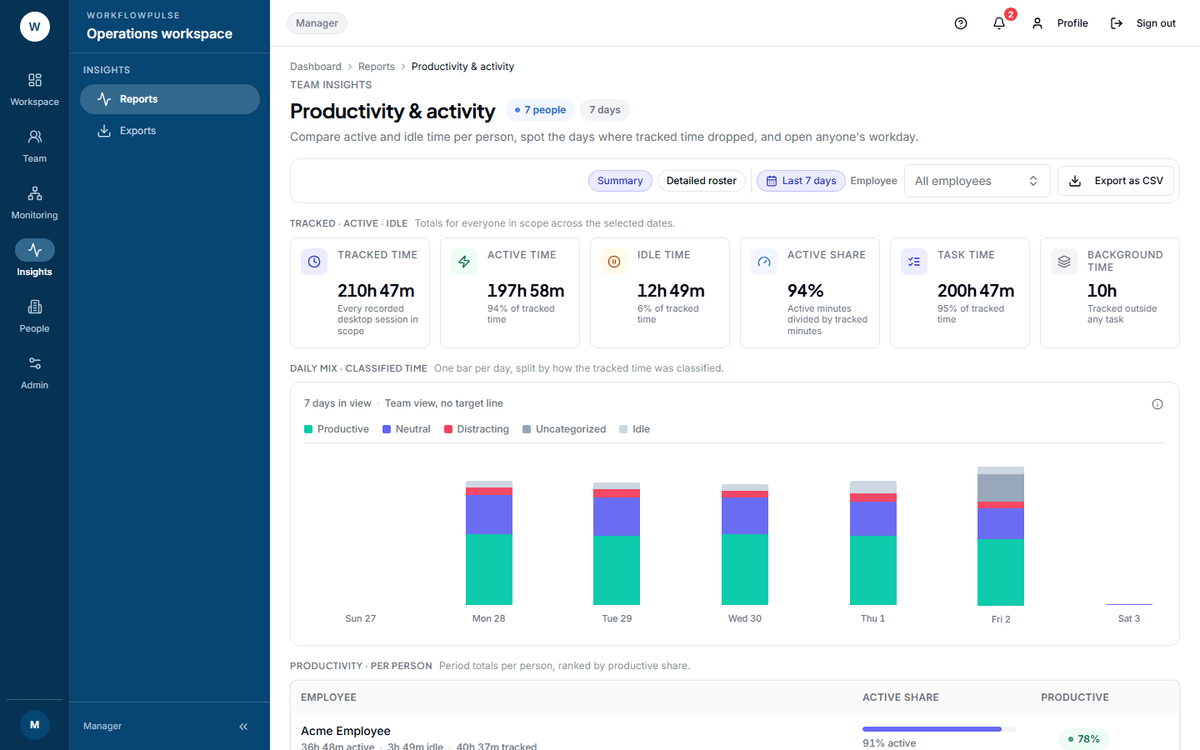 The tiles are the whole workspace. The table underneath is what the employee picker changes - and only the table.
Next: Who needs you today · Alerts