Project summary
Where did the period’s hours and cost land, project by project?
Project summary (/reports/project-summary). Task-based workspaces only.
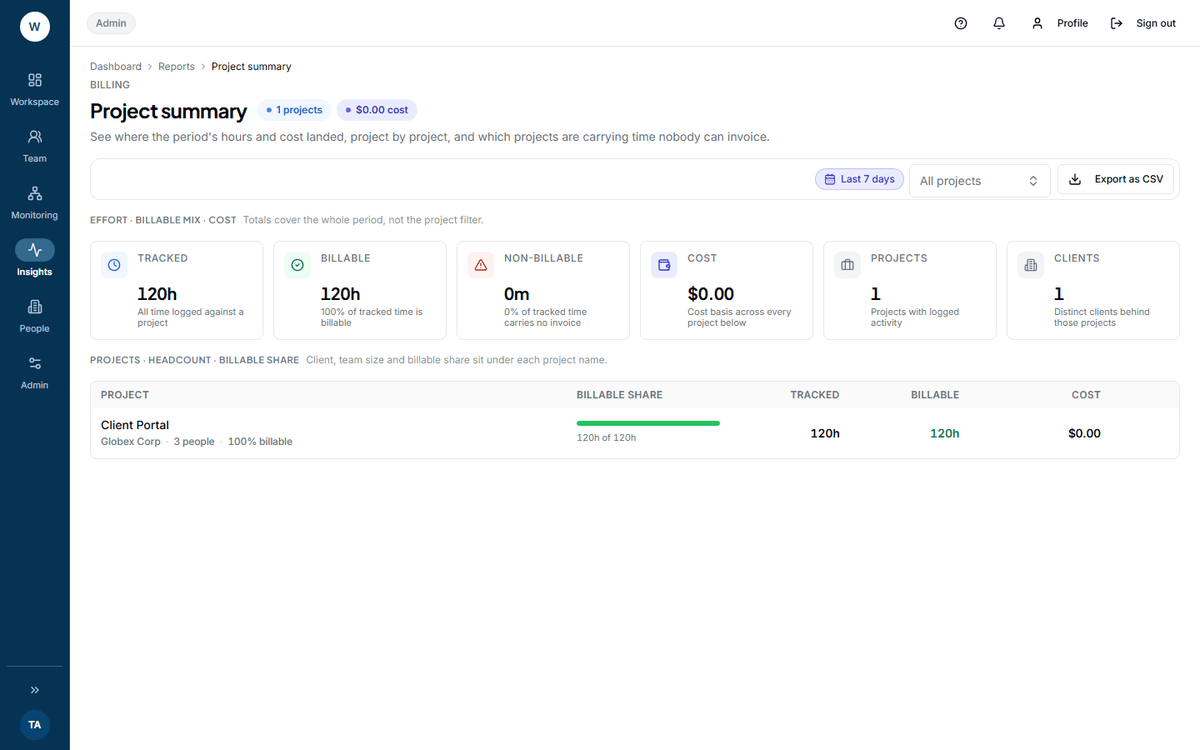 The client name and team size sit under each project name rather than in their own columns. It is the fastest way to spot a project with no client before it reaches an invoice.
What question it answers
Section titled “What question it answers”Where the period’s hours landed by project, what they cost, and — the useful half — which projects are carrying time nobody can invoice.
Where the numbers come from
Section titled “Where the numbers come from”Every time log in the period that carries a project. Billable minutes are those flagged billable. Cost is billable minutes times an hourly rate resolved per person per project.
Time with no project is not in this report at all. That is Timesheet detail’s background time, and the two will not reconcile.
The six tiles
Section titled “The six tiles”Tracked, Billable, Non-billable with its share, Cost, Projects and Clients.
Non-billable is the one with a decision behind it. It is tracked project time carrying no invoice, and its percentage is on the tile — “{n}% of tracked time carries no invoice”. A project at 40% non-billable is either badly scoped or badly set up, and both are worth an hour of somebody’s time.
The table
Section titled “The table”Per project: Billable share, Tracked, Billable, Cost. Under each project name sit the client, the team size and the billable share.
A project with no client shows a No client chip and the text Unassigned client. Fill the client in on the project — it is what the billing reports group by.
Row actions: Show only this project, and Open project.
How Cost is worked out
Section titled “How Cost is worked out”Two things to know, because the label says neither.
The rate is resolved in three steps: the rate set on that person for that project, then the project default, then the person’s own rate. If all three are missing the rate is zero and those hours are costed at nothing — silently. Check the No default rate tile on Resource billing before you quote a cost from this screen.
What it does NOT include
Section titled “What it does NOT include”No employee filter and no team filter. The only breakdown is by project.
No task breakdown. The report knows the project, not what inside it took the time.
Projects with no time in the period are absent, not shown as zero rows. This is not a project list.
Filters
Section titled “Filters”A date range, and a project picker.
What to do with what it shows
Section titled “What to do with what it shows”A high non-billable share — open the project and look at what the time was booked to. Usually it is either scope that was never quoted, or a billable flag nobody set.
Unassigned client — fix it on the project today. At month end it becomes an invoice nobody can send.
A cost that looks too low — check Resource billing for people with no rate before you believe it.
Export
Section titled “Export”Export as CSV sends a project_summary request. It does not carry the project filter.
Next: Billing reports · Projects and tasks