Reporting a problem
Something is wrong. Who do you tell?
It depends on what kind of wrong it is. Four kinds, four different people.
| What is wrong | Who fixes it | How long it takes them |
|---|---|---|
| The tracker is not recording | Your admin | Minutes, once they know |
| Your hours are wrong | Your manager | One approval |
| An app or site is scored wrongly | Your admin | 30 seconds, and it repairs the last 31 days |
| You disagree with how a number is being used | Your manager, in person | There is no button for this one |
The tracker is not recording
Section titled “The tracker is not recording”Signs: Tracked today stays at zero while you work. The desktop app shows signed out. Your name is missing from the live view when it should be there.
Check these first:
- Is the desktop app running and signed in?
- Did you change your password recently? That signs the desktop app out.
- Is your internet working?
If all three are fine, tell your admin and say when it last worked.
Your hours are wrong
Section titled “Your hours are wrong”If time is missing, add it: Adding time you forgot. Say what the time was for. A manager approves it, and then it counts.
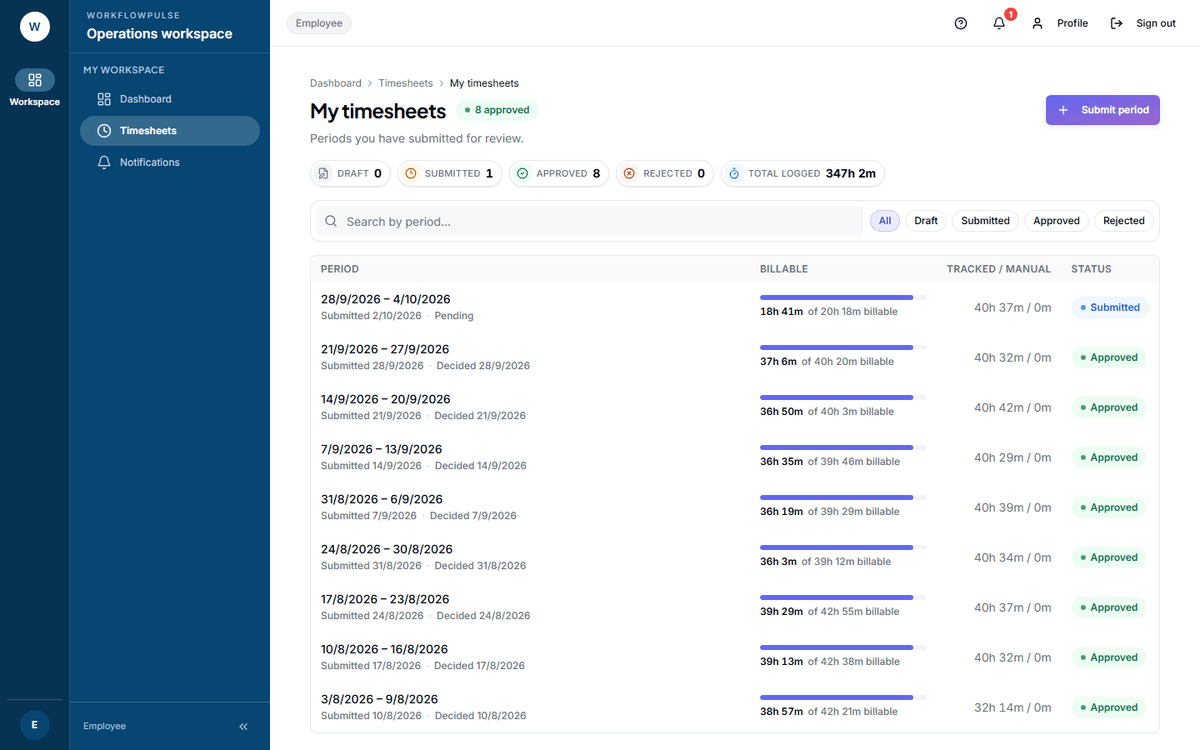 Start here for anything about hours. The Rejected tile is a link: it takes you straight to the
periods that came back, so you are not hunting through a list.
If a timesheet was rejected, open it. The rejection card names who decided and the note they left. Fix what it says, then submit the same period again.
If the note does not explain it, ask the person named on the card. A rejection with no usable reason is a problem with the review, not with you.
An app or site is scored wrongly
Section titled “An app or site is scored wrongly”This is the most common report in a new rollout, and the easiest to fix.
Tell your admin three things:
- The exact application name or website domain, as it appears on your screen
- What it should be - productive, neutral or distracting
- One line on why
An admin changes it on Productivity rules. When they save, the product recalculates the last 31 days on its own.
You disagree with how a number is being used
Section titled “You disagree with how a number is being used”This one has no button.
There is no dispute control on a figure, and no comment box on a task. The product does not have either yet. There is nothing hidden that you have failed to find.
What you have instead:
- The notes box when you submit a timesheet. The person approving it reads it. Use it.
- Your own day in detail. Open a timesheet and press View activity timeline. That is the evidence behind the total - sessions, applications, idle gaps and your own screenshots.
- A conversation. Bring the dates and the figures.
What to put in any report
Section titled “What to put in any report”- The date and the time of day
- The screen you were on, by name
- What you expected, and what you saw
- A screenshot if you can take one
Four lines like that get fixed. “It is wrong” does not.