What this is
What does this product do?
It records how time is spent on a work computer, and shows the result in a web app.
A small program runs on the computer — the desktop agent. While it runs it notes how long the computer was in use, which applications were open, the title of the window in front, and the website domains visited. Depending on how your company set it up, it may also take a screenshot at a set interval. All of that goes to the web app, where it is grouped, added up and shown.
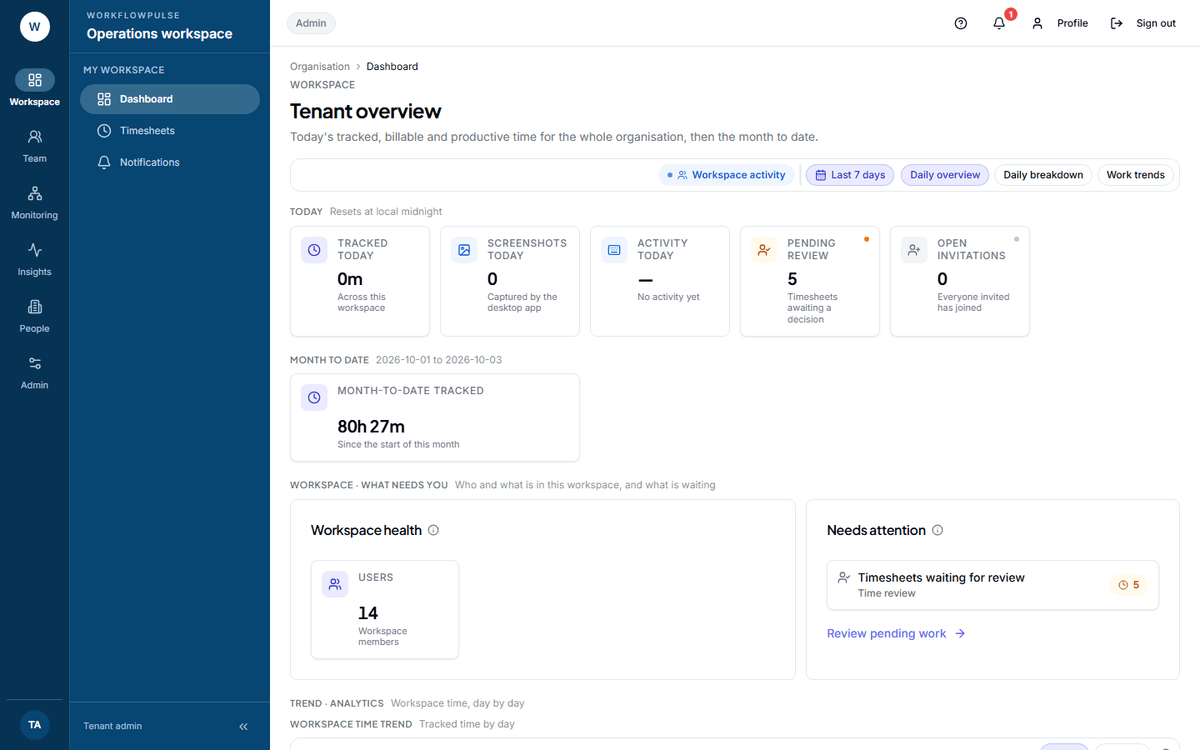 This is the other end of the mechanism. Nobody typed any of these numbers in. Every tile is built
from what the desktop agent sent.
The four things it records
Section titled “The four things it records”| It records | What that means |
|---|---|
| Time | Minutes the computer was in use, and minutes it was idle |
| Applications | Which app was in front, and for how long |
| Window titles and website domains | The title bar text, and the domain only — never the page you were on |
| Screenshots | A picture of the screen at a set interval, if your company switched this on |
Everything on every screen is built from those four. Each one is a separate switch on Productivity rules → Tracking and privacy, and a tenant admin can turn any of them off for the whole workspace.
The two ways it counts
Section titled “The two ways it counts”Your company chose one of these when the workspace was created, and it cannot be changed afterwards. It decides which screens exist.
| Task based | Productivity only | |
|---|---|---|
| What starts the clock | A person picks a task | Signing in |
| Hours belong to | A project, and through it a client | The person |
| Projects, tasks and billing reports | Shown | Hidden |
| Used where | Hours are billed to a client | Work arrives on a queue |
See Task based or productivity only.
Who sees what
Section titled “Who sees what”Five roles. They are not job titles — give a person the role that matches what they need to open.
| Role | What it can open |
|---|---|
| Employee | Their own time, tasks, timesheets and day |
| Manager | Approvals and the live view for their team, and the reports |
| Tenant admin | Everything in the workspace, and every setting |
| Auditor | Everything in the workspace, read-only. Cannot change a record |
| Platform admin | Workspaces and desktop agent versions. Not the work inside them |