IT services setup
Does this pack fit a software delivery team, and what does it change?
It fits a company that bills clients for delivery work: a product team, a software services firm, a managed services desk. People work on named tasks. Meetings are part of the job.
What it switches on
Section titled “What it switches on”| Setting | Value | Default, for comparison | Why |
|---|---|---|---|
| Work mode | Task based | Task based | Hours attach to a project and a task, so you can bill them |
| Tracking | A task must be picked first | — | Nothing is recorded until somebody says what they are working on |
| Screenshot interval | Every 5 minutes | Every 5 minutes | Close enough to show a work pattern, far enough apart to stay small |
| Idle threshold | 10 minutes | 3 minutes | A build, a review or a design call is not idleness. See below |
| Retention | 90 days | 90 days | The product default. Nothing in this industry requires longer |
What it creates
Section titled “What it creates”- 5 productivity roles — Developer, QA engineer, DevOps engineer, Business analyst and Delivery manager
- 480 app rules — every role gets a verdict on all 96 applications and websites in the catalogue, not a short list of exceptions
- 3 teams — Engineering, Quality assurance, Delivery
- 2 daily goals — 360 productive minutes and 420 active minutes
- 3 alert rules — not started by 10:30, idle over 90 minutes, distracting use over 90 minutes, all sent to managers
Each role starts from a rule set already in the product and then adds the tools it really uses. A DevOps engineer picks up Datadog, Grafana, Lens, Terraform, the AWS console and Jenkins. A business analyst picks up Jira, Confluence, Miro and Notion instead.
The rules differ by role on purpose. LinkedIn is distracting for a developer and productive for a delivery manager. One list for everybody gets that wrong for half the team.
The one thing it gets right
Section titled “The one thing it gets right”Meeting time counts as work, and a code review is not idleness.
On the plain defaults, a developer in a 50-minute design call looks idle after 3 minutes. A reviewer reading a merge request moves the mouse twice in ten minutes and looks idle again. Both of those are the job.
This pack does two things about it: it marks the call tools and the code hosting sites as productive, and it raises the idle threshold from 3 minutes to 10.
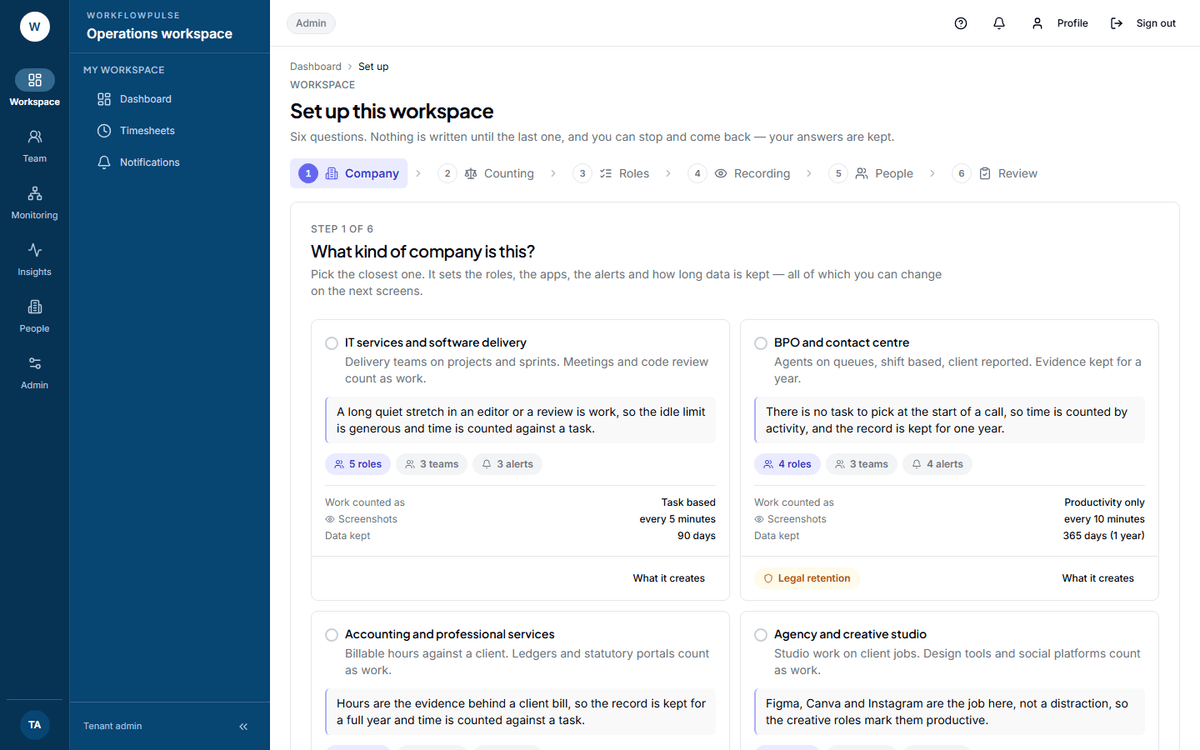 The review step before the pack is applied. Every role, team, alert and goal is named, and each
setting change shows what it is changing from. Nothing is written until the button at the bottom.
What to change after you apply it
Section titled “What to change after you apply it”- Add the tools you use that are not in the list. Do it on Productivity rules
(
/settings/productivity). The catalogue is 96 entries; your stack will have some of its own. - Check your project list. Task based work needs projects to attach time to. Hours with nothing to attach to are hours you argue about later.
- Look at the unclassified share in the app and website report after one week. Anything large there is a rule you still owe.
Next: Task based or productivity only · Screenshots, privacy and how long data is kept